Node to Docker: Containerize your NodeJS API with ease
Hello everyone one of the most on demand skills to have in DevOps in 2023 is Kubernates and for Kubernates Docker is its backbone so the knowledge and experience of Docker is a very vital skill for a DevOps Engineer
Need for containerizing ?
Containerization allows a developer to create, deploy and manage application much more faster and secured across environments from a Devops engineer point of view Dockers helps in maintaining applications and monitoring much more easier and re-structuring of the architecture is more efficient when the application is containerized and with the emergence of serverless architecture and Kubernates skilled Docker operators are in demand than never before, So in this Blog we are going to see about how to containerize an API and run it.
API
The API is like a server in a restaurant who takes food from the kitchen to the Customers likewise an API takes data from the Backend (Database) to the Frontend.
To start this mini project we need a sample API that fetches Data from the Backend to the frontend
For this we are going to use expressJS as node frameworks are widely known for Backend Operations
Step 1 :
Open a folder, I have named it API and open it in VS code or your preferred code editor (note: you need Node installed in your system)
npm init -y
This is used to Initialize a NPM project and create a package.json file
Step 2 :
Install the required dependencies (Express) for our API:
npm install express
Step 3 :
Now create a file called index.js
This is the sample API that I wrote :
const express = require('express');
const app = express();
const port = 3000;


const users = [
  { id: 1, name: 'Jerry' },
  { id: 2, name: 'Joel' },
  { id: 3, name: 'Akash' }
];


app.get('/api/users', (req, res) => {
  res.json(users);
});


app.listen(port, () => {
  console.log(`Server is running on http://localhost:${port}`);
});
In this API I am using users as my database and I am using a get call (‘/api/users’) to request the data from users
If you want add another get call with ‘/api/users/:id’ to request the data of a specific field in the database.
This NodeJS code may be easy to understand for all the coders out there, But from a Fresh AWS/DevOps Engineer point of view you
may or may not understand this but its okay the more you work with the APIs you can understand it better, trust me I am speaking from experience.
Step-4:
Start this api by running the command
node ./index.js
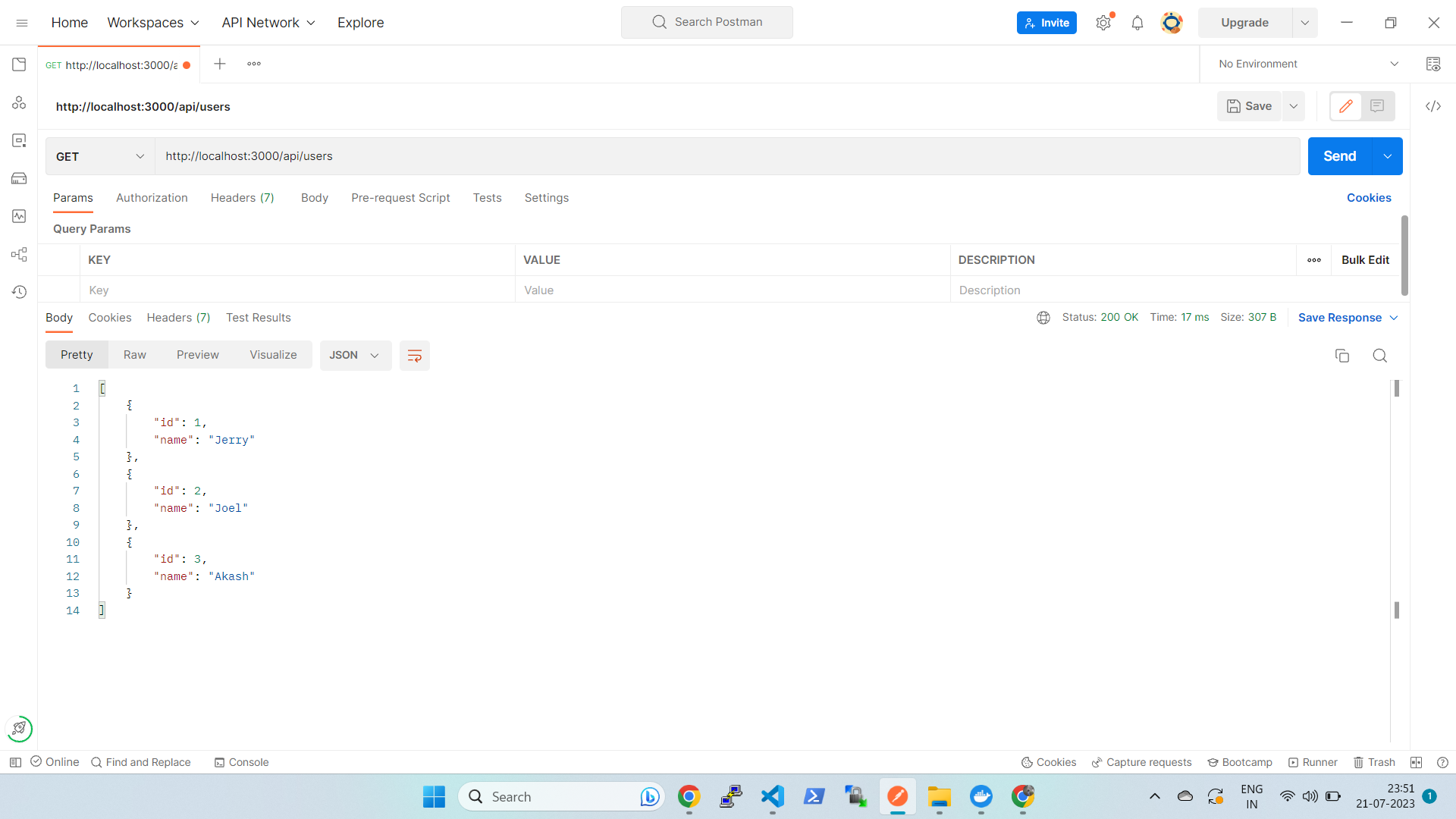
You can test the API using tools like curl or Postman. For example, open a browser or use curl to access http://localhost:3000/api/users to get all users, or http://localhost:3000/api/users/1 to get a single user with ID 1.
You can fork the source code from my GitHub repository, which is linked on the main page of this blog.or Click Here.
If this works u will get the response as this
Dockerizing
Now that we know that this API is working lets do thhe fun part that is run it in docker.
To run this in Docker we need a key component called DockerFile
A Dockerfile is a file that has all the information of the container to run
Informations such as what OS or base should the API run on ?.
Where will it fetch the code from ?.
How to start the API ?.
If we can answer these questions we can easily run our API in docker container
DockerFile
what OS or base should the API run on ?.
Since our API is based on NODEJS our base image should be a node image
Where will it fetch the code from ?.
We can specify the location of our code in the Dockerfile
How to start the API ?.
we use the same command node ./index.js to start the application.
Great !! we have the answer to all the questions now lets write a Docker file
1.Create a file in our code directory named Dockerfile naming is very important in docker
FROM node

COPY . ./API

EXPOSE 3000

WORKDIR /API

RUN npm install

CMD [ "node" , "index.js" ]
This is how a Dockerfile should look like as we discussed here you can see FROM node where node is the middleware that our API is supported on
We have created the Dockerfile in the same directory as our code we are using COPY to copy the curent file structure into docker
We have Exposed port 3000 for the API calls to take place
Now from the /API directory we are running the command npm install to install the dependencies for our code
Then, finally we are using node index.js to start the application.
2.Create an Id in dockerhub and run the command docker login. then enter userID and password
3.Next we need to build this Dockerfile into an image. A Docker image is like the AMI of an EC2 instance it holds all the dependencies and the data or volume needed for the container
docker build -t api .
This command is used to build an image from the Dockerfile this command is based on docker build -t Image_name loaction of Dockerfile
Now an image named api is created
4.All we have to do is to run the image as container the command syntax is thus
docker run -d -p 80:3000 api
In this command we have run the api docker image in detached mode and forwarded the port to 80 from 3000
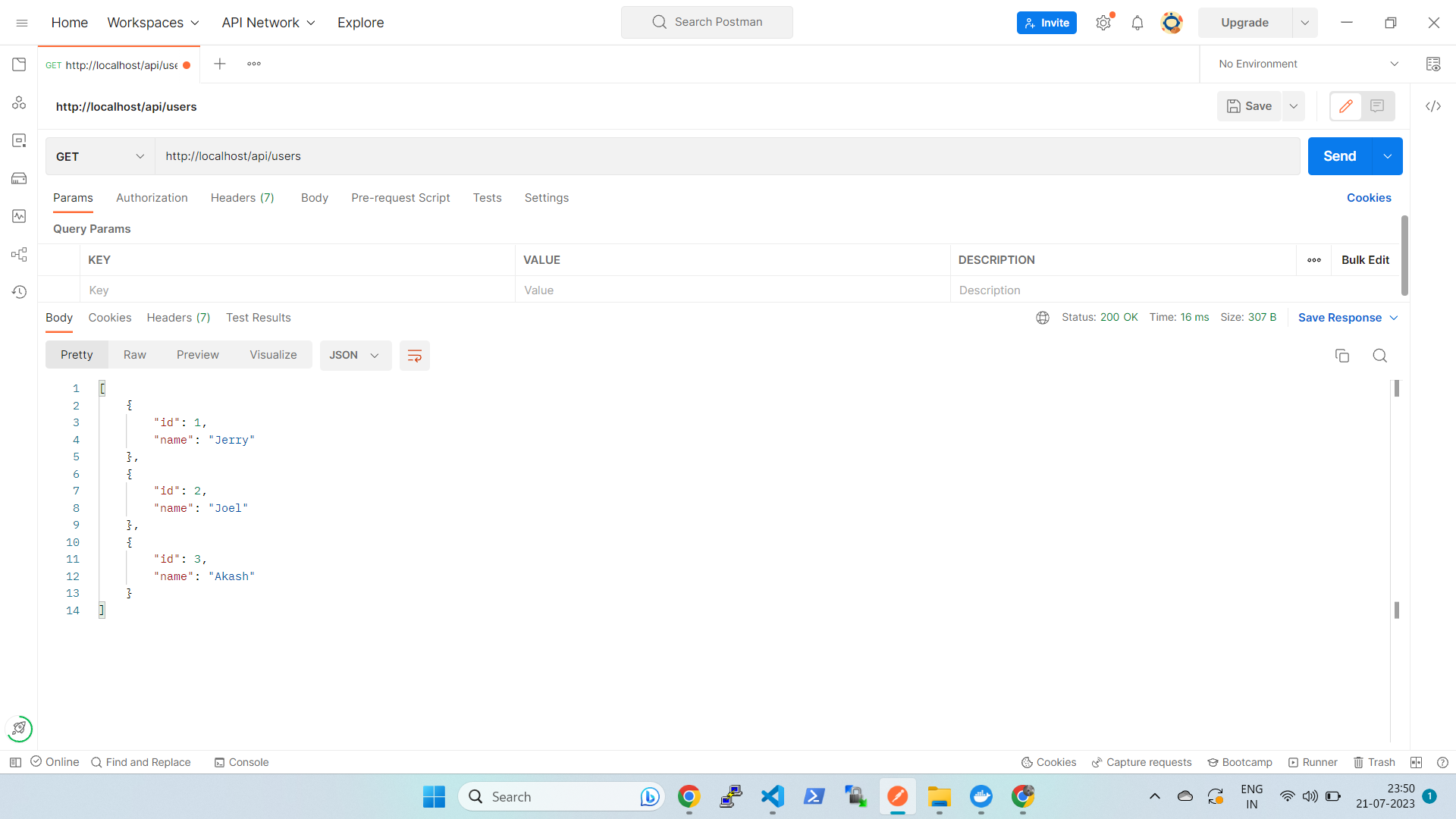
Now go to postman and enter the localhost url or if you do this in an instance copy the instance public ip with the port number then u can see the response as this</br>
Conngratualtions you have containerized an API.
Happy Coding !!!